
If you’re American, you’re aware that we just celebrated Thanksgiving approximately two weeks ago (11/27) at the time of me writing this. For those outside of the US who aren’t are aware of Thanksgiving, just think of it as peek Americanism- not working, being extra greedy as we eat lots of tasty food and desserts all day, and for some, playing or watching football is also part of the tradition. 😁
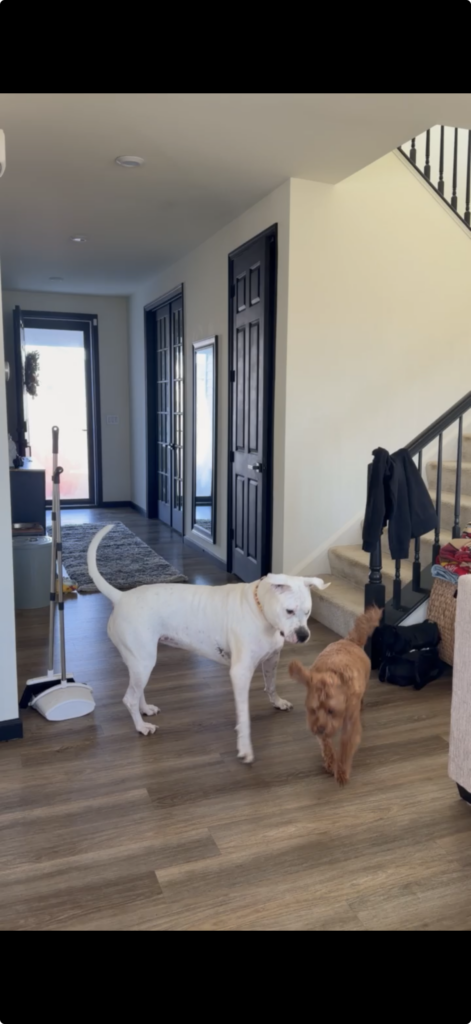
This year, our oldest son volunteered to host family Thanksgiving at his house. And by hosting, this wasn’t just everyone swinging by on Thanksgiving day to eat and have fun. Because everyone lives 3+ hours away from him, we all came in a couple of days early and stayed at his house until Saturday morning. Each day there were events and different genres of food served; some of it was cooked at home and some of it was brought in from outside. The number of people there included roughly 18 adults, 2 teenagers, and 4 younger kids; and those numbers don’t include the 2 dogs (1 of them is our granddog, pictured below) as well as other family that visited on Thanksgiving day… It was an amazing time! Anyway, on to the real reason why I’m writing this post.
Once most people had made it in, I started hearing grumbles about the Wi-Fi being slow; particularly from the kids trying to play their video games downstairs. I listened, but I was still working (remotely) and wasn’t experiencing problems doing what I needed to do; I did use the Orb app on my iPhone to look at the experience it was receiving while connected to their Google Nest Wi-Fi network (this will become important later) though. The Orb Score wasn’t perfect, but it wasn’t alarming either so I took what they were saying with a grain of salt; they’re kids, what do they know anyway? 😂 As you’ll see later, turns out they know A LOT.
On late Wednesday afternoon, my daughter-in-law who was also working remotely came to me and asked me to look at the Wi-Fi. I had just logged off for the day and we were about to play some good ol flag football outside. After doing some very quick troubleshooting, I asked if she could plug into a wall jack for a wired connection because I was able to rule out the wired LAN and Internet from being part of the root cause. I only experienced extreme latency (up to 1-1.5 seconds) while pinging Internet destinations like 8.8.8.8 when connected to Wi-Fi. Unfortunately, the wired port in the office she was in was not immediately accessible so she moved over to using her cellular hotspot. That kept her going for the remainder of her work shift.
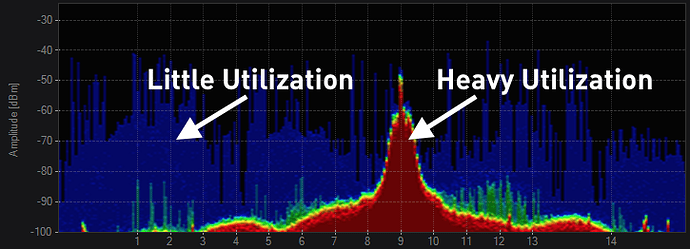
Fast forward to Thanksgiving day. I had finished my overnight cook of brisket and ribs (pictured below) and I was moving on to getting myself ready for Thanksgiving dinner. The first football game was just starting at 1pm EST. Once we got the stream going, I noticed how grainy and pixelated the TV was. No one really complained, but I thought to myself that this was not going to be a good experience and it was time to figure out what was going on. Wi-Fi is my career after all. If I can’t get to the bottom of the issue, I probably should be doing something different in life. I got dressed and grabbed my WLAN Pi Go with the Oscium Lucid and my MacBook Air (MBA). Since most people were on the main level and that’s where the TV was, I sat close by and performed some spectrum analysis using the WLAN Pi Go with the Lucid specan using the Chanlite app. I noticed the channel was extremely busy. I don’t have screenshots because I wasn’t thinking “blog post” at the time, but just picture channel 149 (80 MHz channel width) completely red like the screenshot from the Metageek website below which means at least 50% utilization.


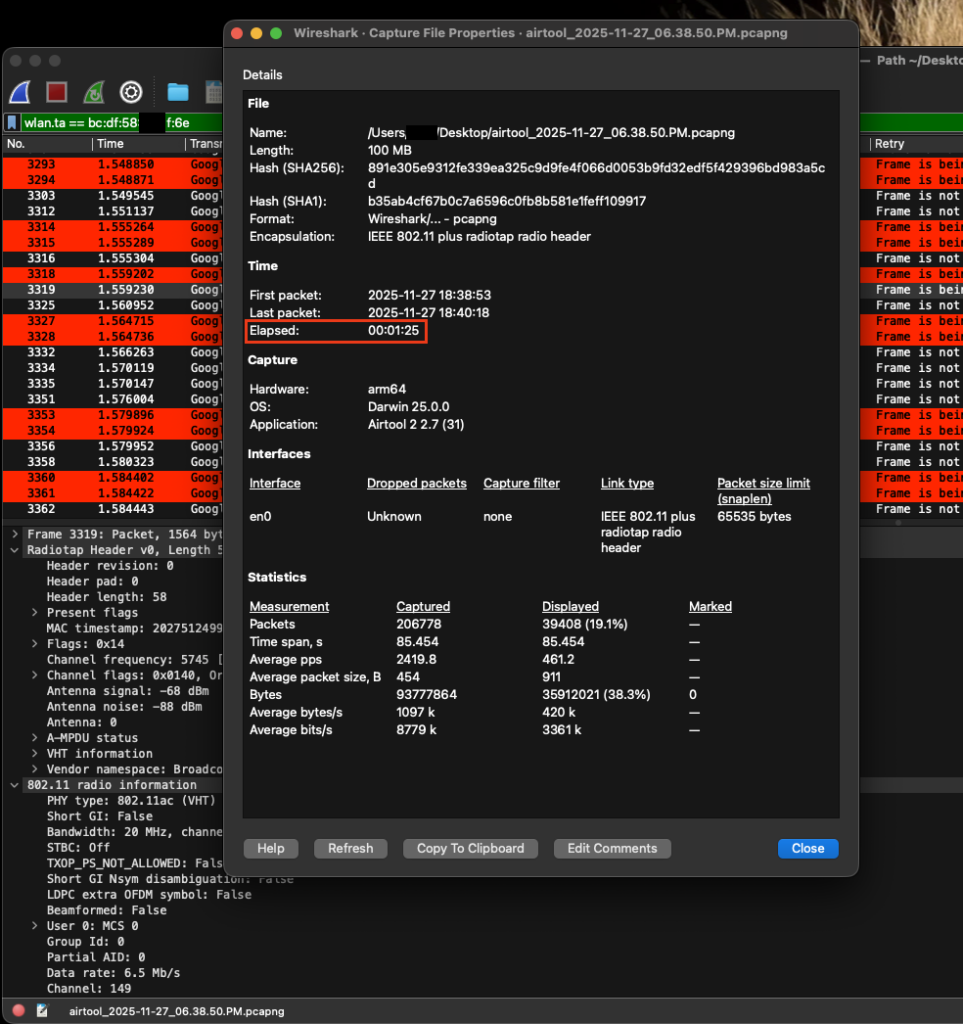
With this many people and devices, I figured maybe this was expected, but after asking people to jump off the Wi-Fi temporarily to see if the problem would go away or at least get better, most of them mentioned that they had NEVER joined the Wi-Fi to begin with. They had been using their unlimited cellular data plans the entire time 🤯 – This signaled to me that the problem was NOT due to more people arriving and was likely related to a specific, chatty device that was likely new because I had never heard of or seen these symptoms when we’ve visited their house in the past. I did what any “packetologist” would do at this point. I performed an OTA packet capture using Adrian’s Airtool 2 with my MBA. Yes, I could have also used the WLAN Pi Go for this, but I had the laptop anyway so I just skipped a step. What I saw was essentially the smoking gun. A device that had transmitted ~24K frames that resulted in ~40K frames in less than 90 seconds.
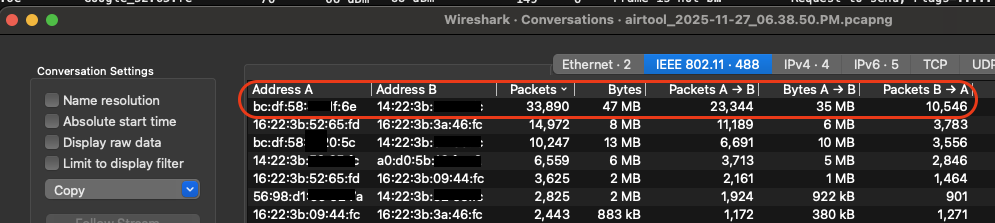

I looked up the vendor OUI of the suspected device using the Wireshark OUI tool and it came back to Google. Now my son is very invested in the Google ecosystem. He has the Nest Wi-Fi system, Nest cameras, the Nest Doorbell, and a couple of Nest Hubs. It could have been any one of these devices, but based on the channel utilization that I saw using the Lucid, my first guess was a camera. I had him turn off the cameras on the main floor and outside, but things didn’t get much better. I could still see the device transmitting in subsequent OTA captures. I told him of my suspicions and that’s when it hit me. He mentioned briefly on Tuesday that he had bought a new camera for downstairs where the kids would be. What I didn’t know is that the newer Nest cameras come configured as always on and perform 24/7 recording which meant it was always transmitting over Wi-Fi since it was not and can’t be wired into the network. Sure enough, checking the transmitting MAC address against the list of devices in the Google Home app showed that it was a Nest device. What’s also important is that the Nest Wi-Fi system is mesh. All of the APs operate on the same channel and this cannot be changed. If you muck up that channel, there’s a good chance you will muck up that channel for multiple APs and the surrounding client devices if the environment is small enough or the devices are close enough. In this scenario, the camera downstairs was transmitting loud enough that it could be heard even on the first floor so it was slowing down Wi-Fi on both floors.
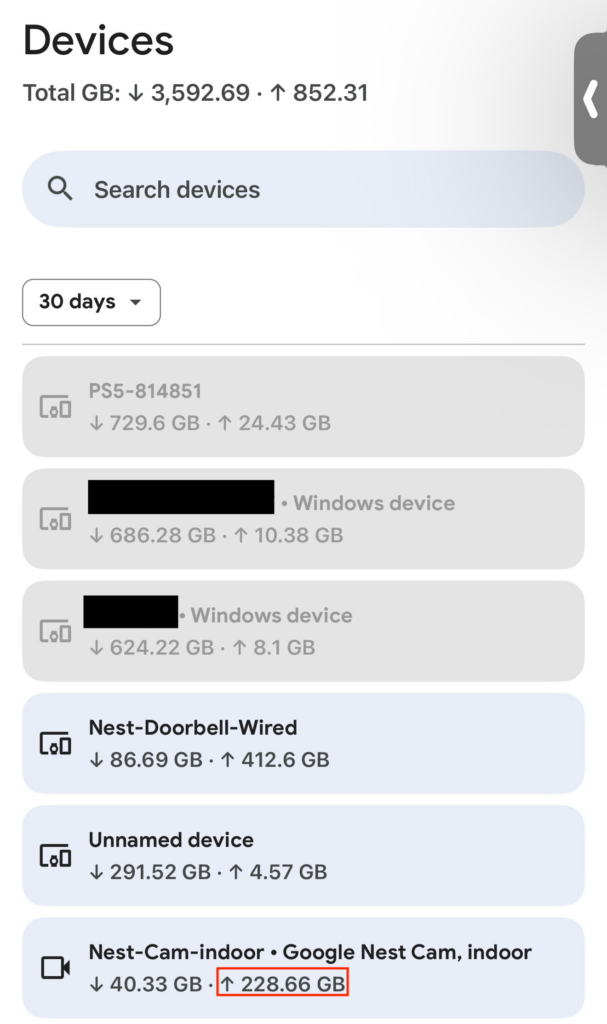
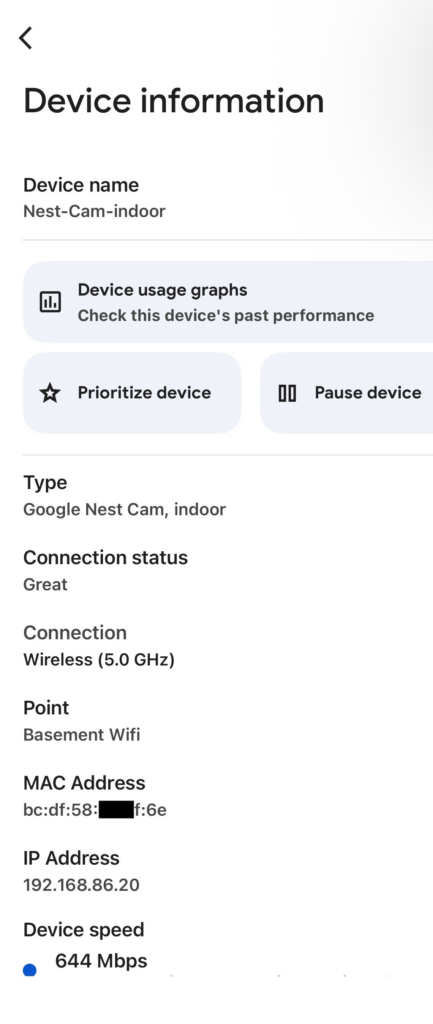

I asked my son to power it off just to confirm if the problem went away and bingo! My gut was right and the game playing on the TV became crystal clear. My iPhone’s Orb Score also instantly jumped about 11 points (from 73 to 84 if memory serves me right). The culprit was found and the Wi-Fi was in a much better state. A hero was born and I saved Thanksgiving (football).
Just today (12/12), as I was asking my son to share some screenshots from his Google Home app, I remotely walked him through turning off the 24/7 recording feature over a FaceTime screen share so he knew how to turn it on/off depending on his needs. Gotta love technology! I hope this post was a helpful and at least a little entertaining. Keep this in mind in the future if your or someone you know’s Wi-Fi goes to hell after buying and installing new video cameras especially if they aren’t wired into the network!